
We are often asked, “what the differences are between Docker and Kubernetes?”, and whilst the honest answer is “they are about as similar as an apple and an orange”, the biggest difference is how they each go about managing the deployment and health of the applications they run. Let me explain.
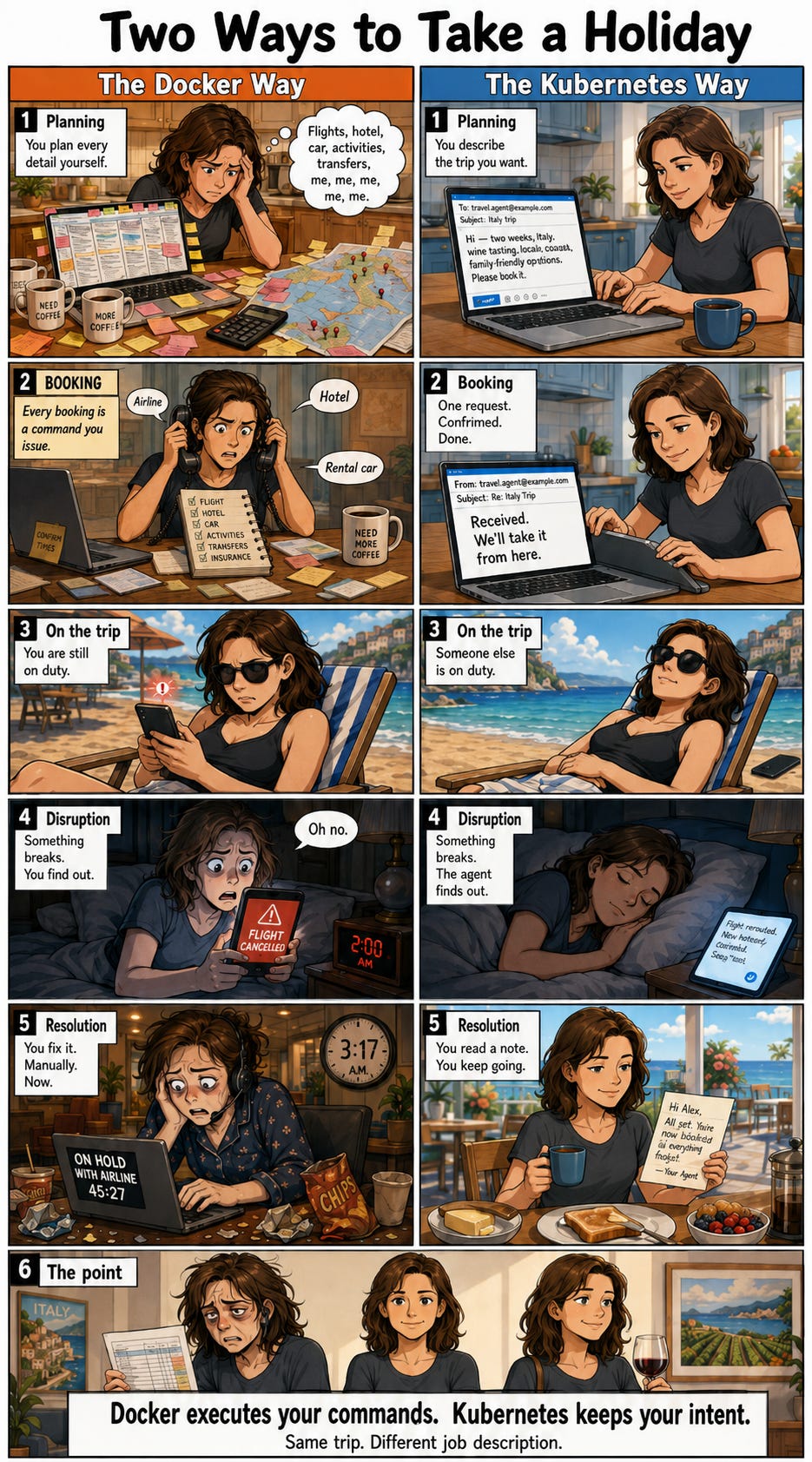
Managing Docker is like organizing a holiday by yourself. You are responsible to book the flights, the accommodation, you sort the transport at each end, and you build the activity schedule; every decision is yours, every booking is a command you issue, and every confirmation comes back to you individually. If a flight gets disrupted or canceled, you find out because your phone buzzes; if the hotel loses your reservation, you notice at check-in; if the rental car company is closed when you land, you improvise. Nothing is watching over the trip on your behalf, so any delta between what you intended and what is actually happening is yours to spot and yours to fix. It works, and for a single trip it works fine; the reason most people still book their own weekends away is that the overhead of a travel agent is not worth it for one flight and two nights.
Managing Kubernetes is like organizing the same holiday, but through a travel agent. You send an email describing the trip you want (dates, destinations, budget, preferences), the agent replies to confirm they have received it, and then they go and make it happen. If a flight gets disrupted halfway through the trip, you do not find out from an airline app at 2am; the agent rebooks you, sends a short note explaining the new itinerary, and the trip continues. You are not managing the process; you described “good”, and someone else is on the hook for keeping reality aligned with that description. The agent costs more than doing it yourself, and for a weekend away it is overkill; for a three-week multi-country trip with twelve moving pieces, it is the only sane way to travel.
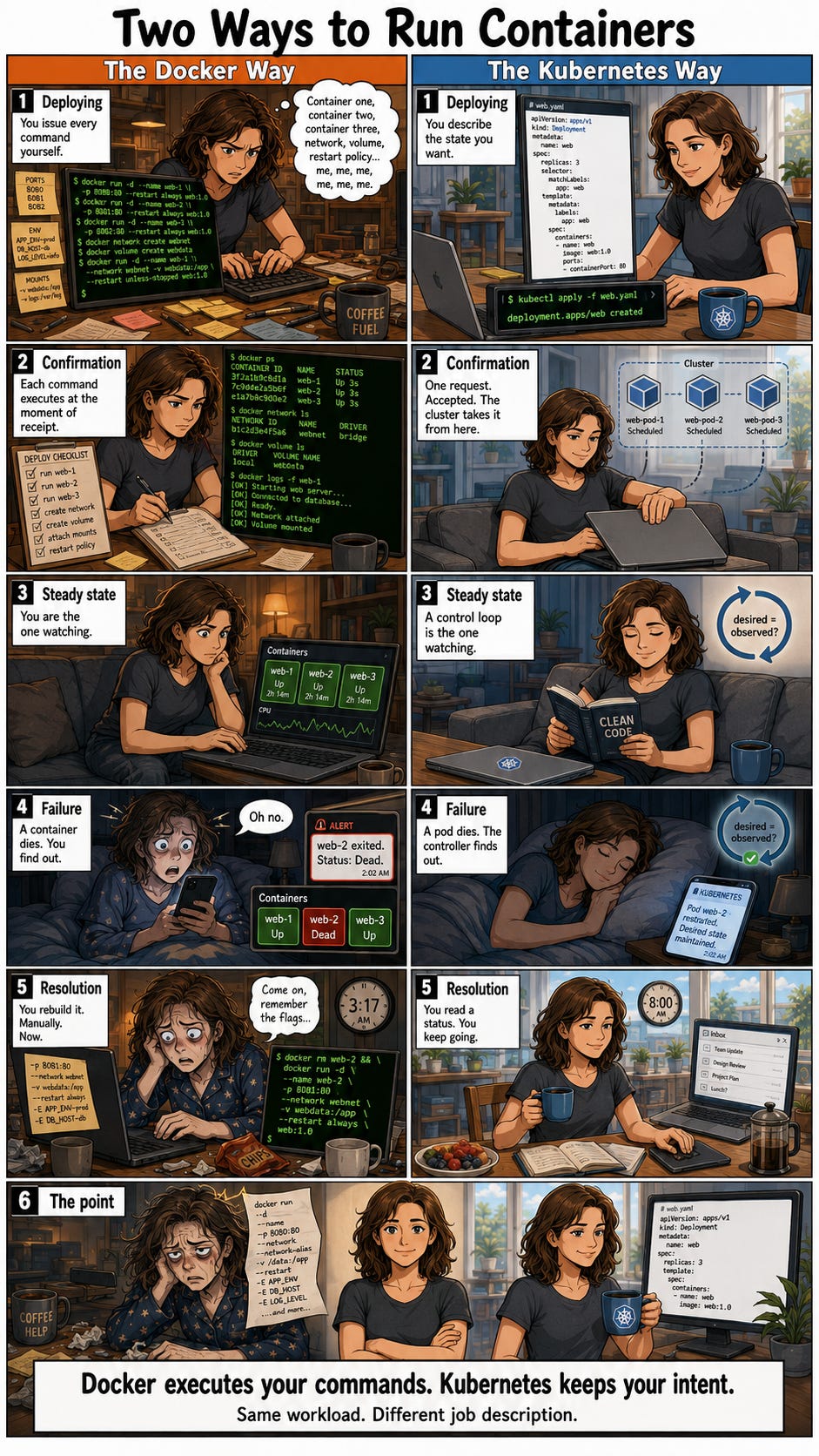
The mechanics map onto the analogy closely. With Docker you talk to the Docker socket or the Docker API, and every command is executed at the moment of receipt; if the command succeeds you get a container, if it fails you get an error, and either way the conversation ends there. Nothing is watching the container after the fact. If it crashes, it stays crashed until you notice and run another command; if the host reboots, your workloads come back only if you (knew to) set the restart policy correctly; if you meant to run three replicas and one dies, you now have two, and the number will stay at two until a human intervenes. This is fine for a developer laptop, a build agent, or a single-purpose host; it is not fine for anything you would rather not be woken up about.
With Kubernetes you describe your desired state to the API server (using kubectl, Helm, or a GitOps controller), and the API server responds with a 200 OK, which means “request received, will be actioned”. A control loop then compares desired state to observed state on a continuous cycle, and where the two do not match, it takes whatever action is needed to bring them back into alignment. If a pod dies, the controller starts a new one; if a node goes offline, the workloads reschedule elsewhere; if you asked for three replicas and observe two, a third appears without anyone typing anything. The system is not “self-healing” in any magical sense (that phrase is oversold in the marketing); it is a loop that keeps checking whether reality matches the spec, and correcting reality when it does not.
At ten containers you can be your own control loop; at a thousand containers across dozens of hosts, you cannot, and neither can anyone on your team (regardless of super-human they may appear). You need to describe “good” once, in a form the system can compare against, and let the system do the reconciliation work continuously. That is what declarative buys you, and it is why the Kubernetes operational model wins as fleets get larger; the imperative model does not scale because the human in the loop does not scale.
Neil
This, and more, is described on kubeschool.portainer.io, in language that is easy to understand.. its not a tech deep-dive, its designed to help you understand the mechanics. If you started your Container adventure learning CLI commands, maybe its good to learn the foundations. If you are just getting started, I strongly recommend getting started with the foundational knowledge.
(and YES, I used AI to create me the comic strips, I’m not that good at graphic design!!)